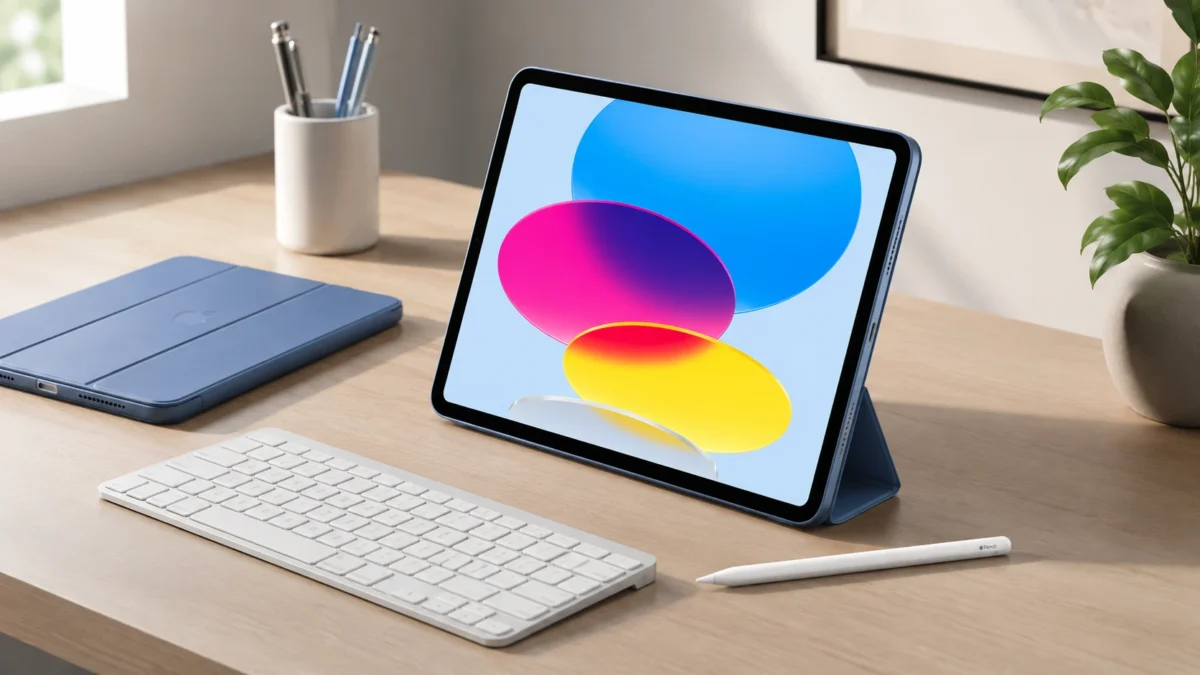
Apple’s iPad lineup includes the standard iPad, iPad Air, iPad mini, and iPad Pro, along with assorted Apple Pencil and keyboard accessories. This variety can make choosing the right device seem complicated at first glance, so we’ll help simplify the decision process for you.
The Apple iPad A16 presents an appealing option for many users. While it may not be the most powerful iPad available, it offers a balanced combination of features that make it a practical choice.
The device boasts a modern all-screen design, USB-C connectivity, and a sharp Liquid Retina display. It also supports the Apple Pencil and offers compatible keyboard accessories. With solid performance for everyday tasks, the iPad A16 offers a reliable, simple experience. It also costs less than the iPad Air or iPad Pro.
In this review of the Apple iPad A16, we’re going to dig into a bunch of different aspects of the device. First up, we’ll check out its performance and see how it handles everything from everyday tasks to more demanding apps. Then, we’ll talk about the display quality, looking at how clear and vibrant the visuals are. We’ll also take a look at how well the iPad A16 works with the Apple Pencil, especially for drawing and jotting down notes.
We won’t forget the accessories either. We’ll cover popular cases, such as the Smart Folio, and keyboard options like the Magic Keyboard. We’ll also include stylus options that can enhance your iPad experience. Additionally, I’ll share real-world insights on how it performs during typical day-to-day use. Lastly, we’ll compare it to the iPad Air M3 and the 11-inch iPad Pro to give you a clear picture of how it stacks up.
Quick Verdict: Who Should Buy the iPad A16?
The iPad A16 is best for students, casual users, and families. It is also great for note-takers and office users. It suits anyone who wants a dependable Apple tablet for daily tasks. It’s designed to meet common needs without overwhelming features, making it a sensible choice for most users.
It is a smart choice if you mainly use your iPad for:
- Watching YouTube, Netflix, or Disney+
- Taking notes in class or meetings
- Browsing the web
- Reading articles or ebooks
- Email and Google Docs
- Light Canva or photo editing
- Video calls
- Casual gaming
- Family or kids’ use
It is not the ideal option for professional artists, dedicated video editors, or intensive multitaskers. Additionally, it is unsuitable for those who require Apple Pencil Pro, ProMotion, OLED displays, or high performance.
| Buyer Type | Best Setup | Why It Makes Sense |
| Students | iPad A16 + Apple Pencil USB-C | Great for notes, PDFs, classes, and everyday apps |
| Office users | iPad A16 + Magic Keyboard Folio | Better for email, writing, documents, and spreadsheets |
| Casual users | iPad A16 + Smart Folio | Slim, simple, and easy for reading or streaming |
| Families | iPad A16 + rugged case | Good balance of price, performance, and durability |
| Artists | iPad Air or iPad Pro | Better Apple Pencil Pro support and stronger creative features |
| Power users | iPad Pro 11-inch | Premium display, performance, and Pro features |
iPad A16 Specs: What You Actually Get
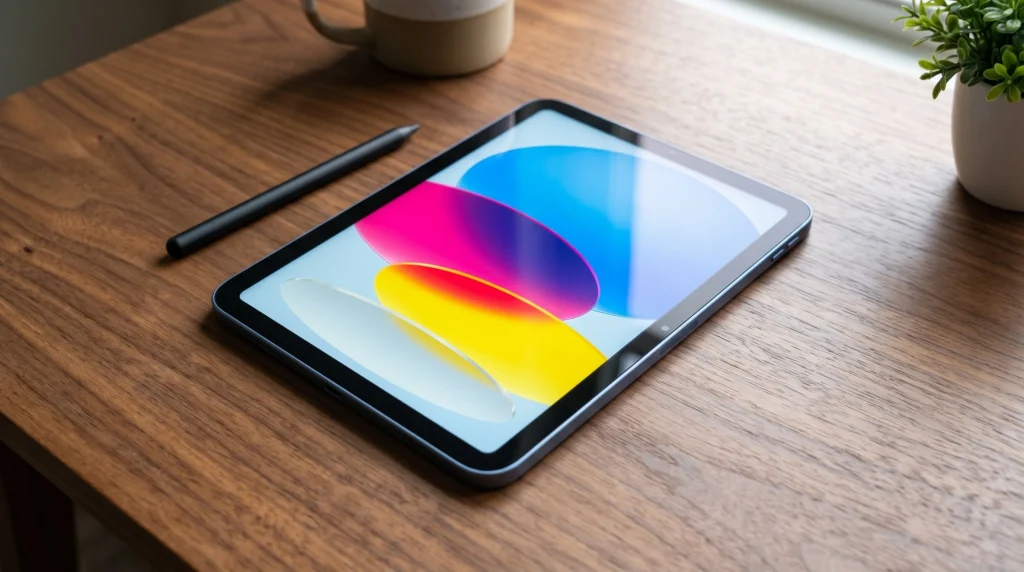
The iPad A16 has a 10.86-inch Liquid Retina display, which is measured diagonally. Just keep in mind that the actual viewable area is slightly smaller due to those rounded corners. It comes with a sharp resolution of 2360-by-1640 pixels, giving you 264 pixels per inch (ppi). Plus, it features True Tone technology and can reach up to 500 nits of brightness.
The specifications outlined here provide a high-quality experience for most users. They support sharp text and clear video playback. This display is well-suited for web browsing, note-taking, and streaming content. The device does not feel like a budget tablet. Instead, it has the features of a modern iPad.
The Apple iPad A16 chip takes performance to the next level, making everyday tasks a breeze. Apps open instantly. Switching between them feels seamless. The iPad handles productivity tasks with ease. Everything runs smoothly, with no hint of lag.
Performance Review: Is the A16 Chip Fast Enough?
For most people, yes. The A16 chip is easily fast enough for daily tasks.
The iPad is a versatile device that can handle many tasks. It works well for schoolwork and for creating or editing Google Docs files. You can browse with Safari and watch YouTube videos, manage email, and join Zoom calls. You can take notes and do light photo editing, use social media, and play casual games. It maintains smooth performance across these applications, ensuring a user-friendly experience.
The iPad A16 is great for everyday use, but it starts to struggle with heavy tasks. If you’re looking to edit big 4K video projects, use complex illustration apps all day, or want to handle serious creative workflows, you’d be better off with an iPad Air or iPad Pro.
That doesn’t mean the iPad A16 is a slouch; it’s just designed more for regular users instead of professionals. For instance, the 11-inch iPad Air with the M3 chip is a more powerful choice for creative work, gaming, and multitasking. If your work leans towards demanding apps or serious creative projects, the iPad Air gives you the extra muscle you need for the long haul.
Display and Design: Good Enough for Most People
The iPad A16’s display is a significant advantage for daily use. With high pixel density, it delivers sharp image quality and vibrant color reproduction. The brightness level works well in many environments. It is ideal for academic work, professional use, reading, and media consumption. This ensures users can be confident that the display will comfortably support their everyday activities.
While you won’t get ProMotion, OLED, or the amazing HDR of the iPad Pro, you may not miss them. This is true in daily use. It helps if you are not a designer, artist, photographer, or display fan
The regular iPad, equipped with the A16 chip, is a pragmatic tablet solution. It delivers a streamlined, contemporary iPad experience, optimizing performance while omitting advanced features that the average user may not fully leverage. This design philosophy strikes an efficient balance between capability and cost-effectiveness, catering to those who prioritize practicality in their tablet use.
The iPad Pro 11-inch is a superior device, featuring an advanced Liquid Retina display with ProMotion technology, which offers a 120Hz refresh rate for smoother visuals. It also supports the upgraded Apple Pencil Pro, enhancing productivity for creative applications. While the A16 iPad’s display suffices for general use and delivers adequate performance for typical tasks, it lacks the high-end capabilities and optimized performance found in the Pro model.
Apple Pencil Compatibility: Which Apple Pencil Works with iPad A16?
This is one of the most important buying points because Apple Pencil compatibility can be confusing.
The iPad A16 supports:
- Apple Pencil USB-C
- Apple Pencil 1st generation
It does not support Apple Pencil Pro.
The first-generation Apple Pencil requires a USB-C-to-Apple Pencil Adapter to pair and charge with the iPad A16.
Can you connect the Apple Pencil Pro to the iPad A16?
No. Apple Pencil Pro does not work with iPad A16.
The Apple Pencil Pro works best with the newest iPad Pro, iPad Air, and iPad mini models. If you want to use the Apple Pencil Pro’s advanced features, choose an iPad Air or iPad Pro. These models are made to take full advantage of their capabilities.
How to Connect Apple Pencil 1st Gen to iPad A16
To connect your 1st-generation Apple Pencil to the iPad A16, you’ll need a USB-C to Apple Pencil Adapter. Since the iPad A16 uses USB-C, and the original Apple Pencil uses Lightning, you need this adapter. It lets you pair the Pencil with your iPad. It also lets you charge the Pencil. Happy doodling!
If you’re just starting out, the Apple Pencil USB-C is probably the way to go. It’s straightforward and looks nice with the USB-C iPads that are out right now.
Apple Pencil USB-C vs Apple Pencil 1st Gen for iPad A16
If you are buying a Pencil mainly for school notes, PDF annotation, basic sketches, or diagrams, the Apple Pencil USB-C is the better practical choice.
Apple Pencil 1st generation still works, but the adapter makes it less convenient. It may only make sense if you already own one.
Best iPad A16 Cases and Keyboard Options
The iPad A16 becomes much more useful when paired with the right accessory. The best option depends on how you plan to use it.
Best Simple Case: Smart Folio for iPad A16
The Smart Folio for iPad A16 is best for users who want a slim, official Apple case. It protects the front and back, attaches magnetically, wakes the iPad when opened, puts it to sleep when closed, and folds into different positions for reading, viewing, typing, or FaceTime calls.
It is a good choice for adults, office users, and people who mostly use the iPad at home or on a desk.
The downside is protection. If you are buying for kids, school bags, travel, or outdoor use, a stronger third-party case with corner protection may be safer.
Best Keyboard Option: Magic Keyboard Folio for iPad A16
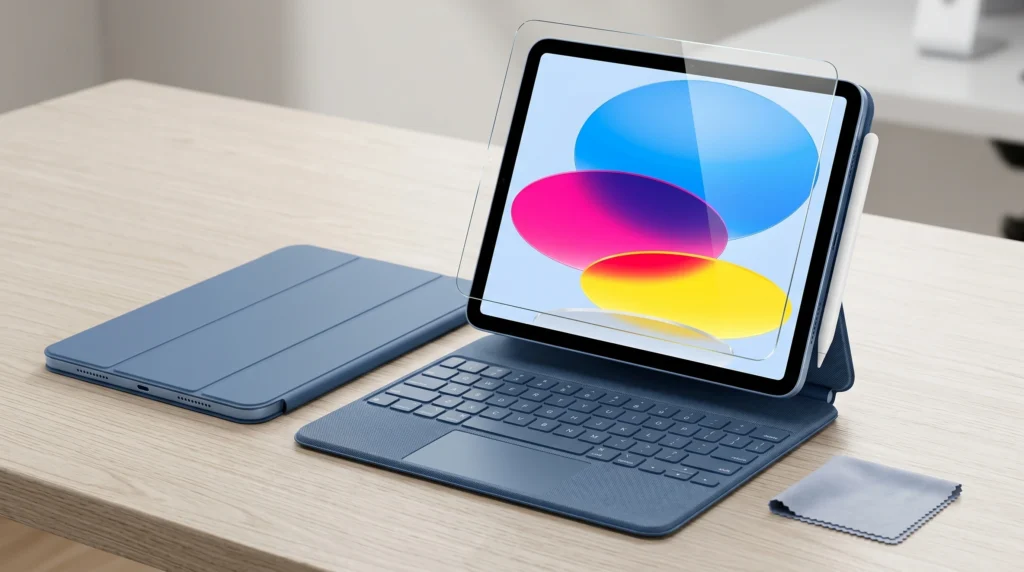
The Magic Keyboard Folio is the official keyboard option for iPad A16. It has a detachable keyboard, a built-in trackpad, a function row, a protective back panel, a magnetic attachment, and an adjustable stand.
This is the best setup if you want to type long emails or write blog posts. It also works well for Google Docs, spreadsheets, or using the iPad like a small laptop.
The only real drawback is price. The keyboard is useful, but buyers should compare the total cost of the iPad plus keyboard before deciding.
Best Screen Protector for iPad A16
A screen protector is worth adding, especially if you plan to use the Apple Pencil or carry the iPad in a bag.
A tempered glass screen protector is best for general protection. A matte paper-feel protector is better for handwriting, but it can slightly reduce screen clarity.
For most people, a simple tempered glass protector is the safest choice.
iPad A16 vs iPad Air M3: Which One Should You Buy?
The iPad A16 is the better value pick. The iPad Air M3 is the better performance pick.
Choose the iPad A16 if you want a tablet for everyday use, school, streaming, browsing, notes, and light work.
Choose the iPad Air M3 if you want faster performance and more creative options. It supports Apple Pencil Pro and offers better long-term battery life.
| Feature | iPad A16 | iPad Air 11-inch M3 |
| Best for | Everyday users, students, families | Creatives, multitaskers, power users |
| Performance | Good for daily use | Stronger M3 chip |
| Apple Pencil | USB-C and 1st generation | Apple Pencil Pro and USB-C |
| Keyboard use | Magic Keyboard Folio | Magic Keyboard support |
| Value | Better budget choice | Better premium mid-range choice |
If you mostly browse, study, watch content, take notes, and use everyday apps, the iPad A16 is enough. If you want more creative power or an Apple Pencil Pro, the iPad Air is worth considering.
iPad A16 vs iPad Pro 11-Inch: Do You Need the Pro?
Most people do not need the 11-inch iPad Pro.
The iPad Pro is for people who want the best display.
It offers top performance and is built for pro-level creative work.
It supports premium accessories and includes features from the Apple Pencil Pro.
The iPad A16 is made for normal users who want a reliable iPad without overspending.
Choose iPad Pro 11-inch if you:
- Edit professional video
- Draw or design seriously
- Need OLED and ProMotion
- Want Apple Pencil Pro
- Use the iPad as a main work device
- Want the most premium iPad experience
Choose iPad A16 if you:
- Want better value
- Use everyday apps
- Take notes
- Stream videos
- Browse the web
- Need a family or student tablet
- Do not need Pro-level display or performance
Pros and Cons of the Apple iPad A16
Pros
- Strong value for everyday buyers
- Sharp Liquid Retina display
- Good performance for daily tasks
- Supports Apple Pencil USB-C
- Supports Apple Pencil 1st generation with adapter
- Works with Smart Folio
- Works with Magic Keyboard Folio
- Good for students, families, and casual users
- Modern USB-C design
Cons
- No Apple Pencil Pro support
- No OLED display
- No ProMotion
- Not as powerful as iPad Air or iPad Pro
- Official Apple keyboard accessories can be expensive
- Not ideal for professional creative work
Is the iPad A16 Good for Students?
Yes, the iPad A16 is a strong student tablet. It is good for taking notes, reading PDFs, watching lectures, joining video calls, researching online, and writing assignments.
The best student setup is:
- iPad A16
- Apple Pencil USB-C
- Protective case
- Optional keyboard case
Students who write a lot may want the Magic Keyboard Folio. Students who mainly take handwritten notes may be fine with the Apple Pencil USB-C and a simple case.
Is the iPad A16 Good for Work?
The iPad A16 can handle light work well. It is good for email, documents, spreadsheets, presentations, browsing, video meetings, and basic content planning.
However, it is not a full laptop replacement for everyone. If your work needs heavy multitasking, advanced apps, large files, video editing, or pro design, choose a better device. An iPad Air, iPad Pro, MacBook Air, or Windows laptop may fit you better.
Best iPad A16 Setup for Different Buyers
If you are buying the iPad A16, the smartest setup depends on your use case.
For students, the best setup is iPad A16 + Apple Pencil USB-C + protective case. This gives you a clean note-taking and study setup without overcomplicating things.
For office users, the best setup is an iPad A16 with a Magic Keyboard Folio. This makes typing, emails, documents, and spreadsheets much easier.
For casual users, the best setup is iPad A16 + Smart Folio + tempered glass screen protector. This keeps the iPad slim and easy to use for reading, browsing, and streaming.
For kids or family use, the best setup is iPad A16 + rugged case + screen protector. A stronger case is worth it if the iPad will be shared or carried around often.
For artists, it may be better to consider the iPad Air or iPad Pro instead because Apple Pencil Pro support and extra performance can matter more for serious creative work.
FAQ: Apple iPad A16 Review
Is the Apple iPad A16 worth buying?
Yes, the iPad A16 is worth buying if you want a reliable modern iPad for school, streaming, browsing, notes, video calls, and light work. It offers strong everyday value without the higher cost of iPad Air or iPad Pro.
What Apple Pencil is compatible with the iPad A16?
The iPad A16 is compatible with the Apple Pencil USB-C and the 1st-generation Apple Pencil. Apple Pencil Pro is not compatible with iPad A16.
How do you connect the 1st-generation Apple Pencil to an iPad A16?
You need a USB-C-to-Apple Pencil Adapter to pair and charge the 1st-generation Apple Pencil with the iPad A16.
Can I use the Magic Keyboard with the iPad A16?
You can use the Magic Keyboard Folio for iPad A16. It includes a detachable keyboard, a built-in trackpad, a function row, and an adjustable stand.
Is iPad A16 better than iPad Air M3?
The iPad A16 is better for budget buyers and everyday users. The iPad Air M3 is better for users who need stronger performance, Apple Pencil Pro support, and more creative power.
Final Verdict: Should You Buy the Apple iPad A16?
The Apple iPad A16 is one of the best-value iPads for everyday buyers. It is fast enough for normal use, the display is sharp, accessory support is useful, and the overall experience feels modern.
Buy the iPad A16 if you want a practical iPad for school, family use, streaming, notes, browsing, video calls, and light productivity.
Skip it and choose the iPad Air or iPad Pro. Pick them if you need Apple Pencil Pro support. They also offer pro creative performance, OLED, and ProMotion.They can also give you a more laptop-like workflow. For most people, the best setup is simple.iPad A16 + Apple Pencil USB-C + a good case. Add the Magic Keyboard Folio if you plan to type a lot.