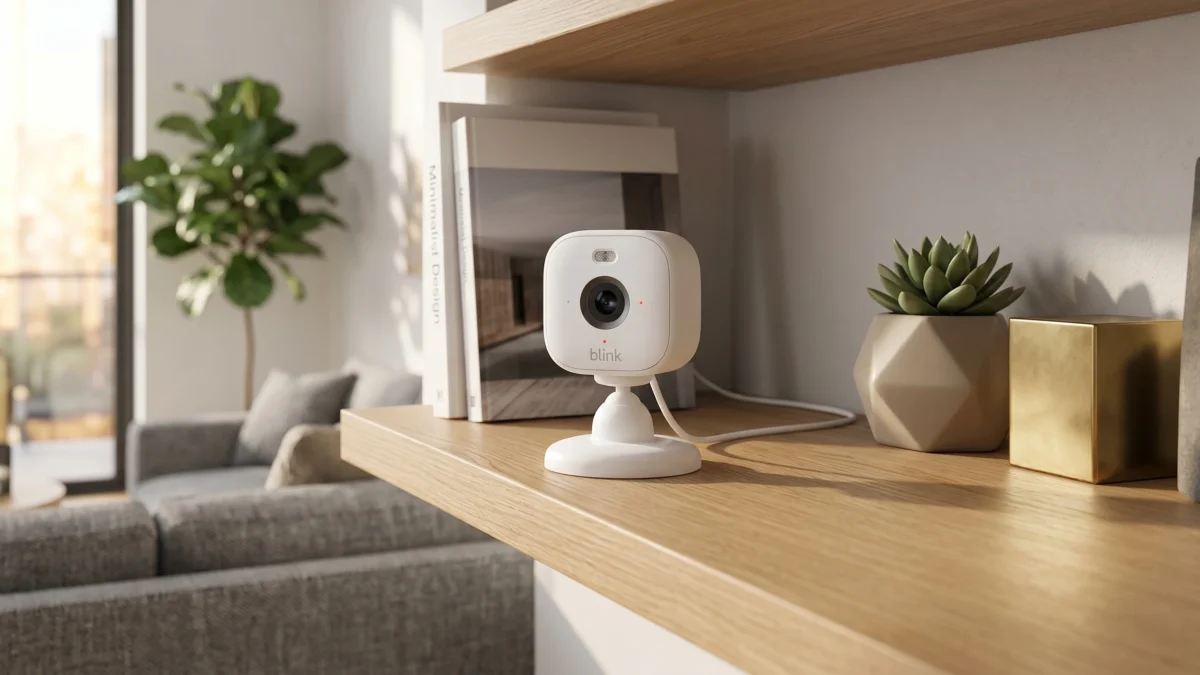
A cheap security camera can be tempting, but the real question isn’t just the price. It is what you can actually do with it after you plug it in at Home. That is where the Blink Mini 2 camera gets interesting. It is small and affordable.
It is easy to place in a room or hallway. You can also put it in an apartment, a garage corner, a pet area, or a small office. On paper, it looks like a simple plug-in smart security camera for basic home security. But before buying it, you should understand the bigger questions: How good is the video quality? Do you need a Blink camera subscription? Can you record locally with Sync Module 2? And does it work better with Alexa than Google Home?
This Blink Mini 2 review focuses on real-world use, not just specs. We will look at setup, 1080p video, motion detection, two-way audio, color night vision, local storage, and who should actually buy it.
Quick Verdict: Should You Buy the Blink Mini 2 Camera?
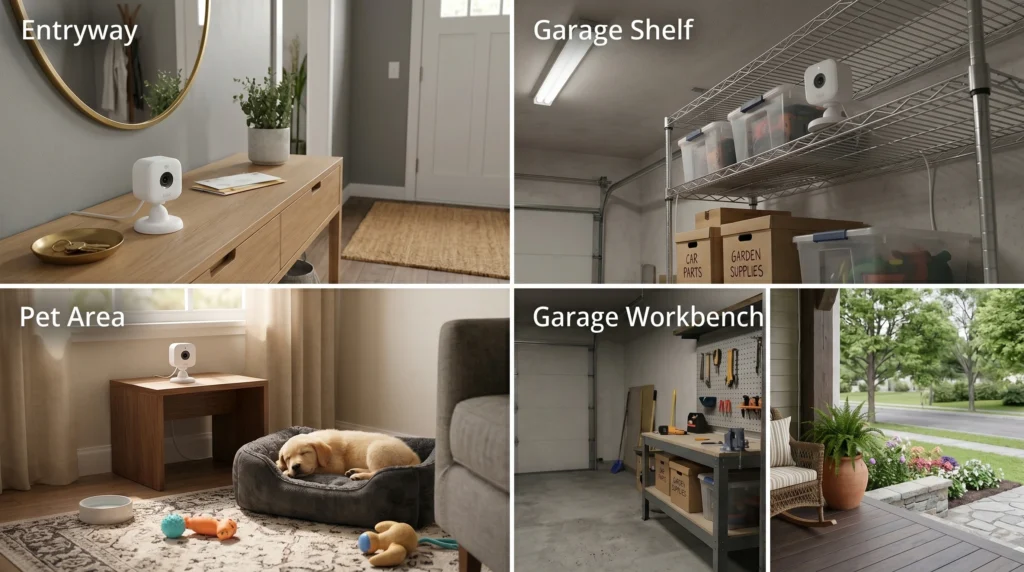
The Blink Mini 2 camera is a good choice if you want a simple, low-cost indoor camera. It works well for everyday monitoring. It is best for people who want to check a room, apartment entryway, pet area, hallway, garage shelf, or small office. It works without installing a full security system.
Its biggest strengths are the compact design, simple setup, Alexa support, 1080p video, and flexible storage options. If you already use Amazon smart devices, the Blink Mini 2 fits naturally into that setup. You can use the Blink app to view live video and receive motion alerts on your phone.
The main thing to understand is storage. If you want the easiest experience, a Blink subscription gives you cloud recording and easier access to saved clips. If you want to avoid monthly fees, you will probably want Sync Module 2 with local storage through a compatible USB drive.
Buy it if you want an affordable plug-in camera for basic home monitoring. Skip it if you want a battery-powered wireless camera, deep Google Home integration, higher-resolution video, or a Wi-Fi-free security camera.
Quick Picks: Who Is the Blink Mini 2 Best For?
Best for Simple Indoor Monitoring
The Blink Mini 2 works well as an indoor Wi-Fi camera for everyday spaces. It is a good fit for bedrooms, living rooms, apartments, entryways, home offices, and pet areas.
It is not trying to replace a professional security system. Think of it more as a practical indoor motion sensor camera for quick check-ins. You might use it to see if your dog is on the couch, check whether the kids got home, or monitor a hallway while you are away.
Best for Alexa Smart Home Users
This camera makes the most sense if you already use Amazon devices. The Blink Mini 2 works with Alexa, so it feels more natural in an Alexa smart home than in a Google-based setup.
If you have an Echo Show or another compatible Alexa display, viewing the camera feed can be more convenient than opening the app every time.
Best for Local Storage With Sync Module 2
If you dislike monthly fees, the Blink Mini 2 becomes more appealing when paired with Sync Module 2. That setup lets you use local storage instead of relying only on cloud storage.
This is especially useful if you plan to add more Blink cameras later. The trade-off is simple: local storage can save money over time, but you need extra hardware up front.
Not Best for Google Home Users
A common question is: Does Blink work with Google Home? The honest answer is that Blink is mainly built around Alexa and the Blink app.
You can still use the Blink app if you own Google Home devices, but if you want everything to be controlled smoothly in Google Home, a Nest camera or another Google-friendly option may be a better fit.
Not Ideal for Fully Wireless Placement
The Blink Mini 2 connects through Wi-Fi, but it is still a plug-in camera. It needs power from an outlet. So if you are looking for a truly wireless mini camera with no cable or plug, this is not the right choice.
What Is the Blink Mini 2 Camera?
The Blink Mini 2 is a compact plug-in smart security camera made for simple home monitoring. It is mainly designed for indoor use, but it can also work outdoors in certain setups with the correct weather-resistant power adapter.
This mini camera focuses on the basics: 1080p HD video, two-way audio, color night vision, motion detection, and control through the Blink app. It is small enough to sit on a shelf, desk, counter, TV stand, or window-side table. You can also mount it if you want a fixed viewing angle.
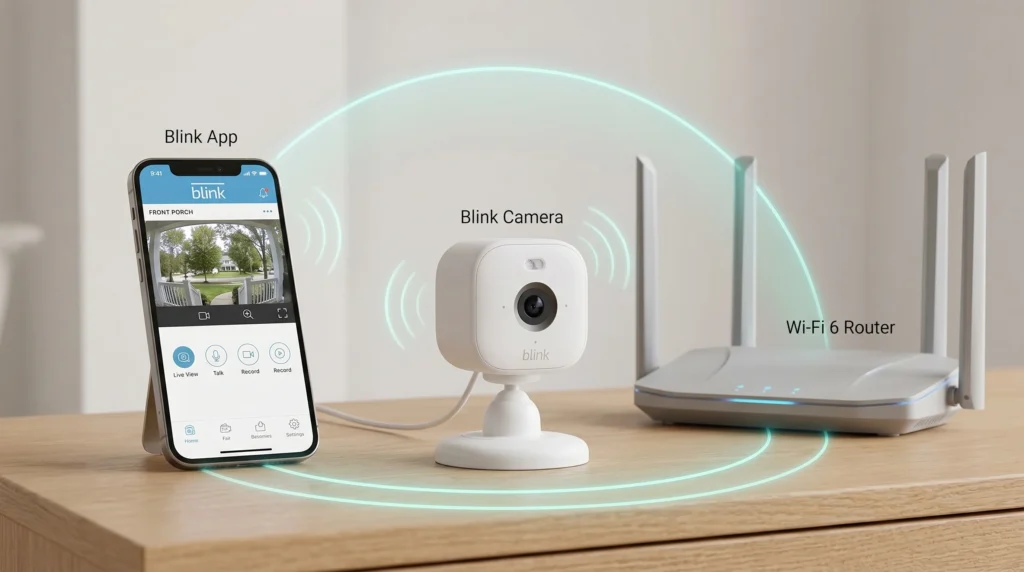
The setup is simple: plug it in, connect it to Wi-Fi, add it to the Blink app, and use your phone to check live view or receive motion alerts.
Why I Recommend It
- Affordable Price
- Alexa-ready
- Color night vision
- Local storage support
- Easy setup
Real-Life Testing Notes: What to Check Before You Judge It
For the most realistic results, do not judge the Blink Mini 2 only by the product page. Test it in the places where you would actually use it.
A good real-life test would include:
- Placing it in a living room during the day to check 1080p video clarity.
- Testing it in a hallway or entryway to see how quickly motion alerts arrive.
- Use it near a pet area to check whether the angle properly captures the floor.
- Trying it in low light to see how well the built-in spotlight and color night vision help.
- Speaking through two-way audio to check whether the sound is clear enough for quick conversations.
- Moving it farther from the router to see if Wi-Fi strength affects live view.
In everyday use, placement matters as much as the camera itself. A well-placed 1080p camera can be more useful than a higher-resolution camera pointed at the wrong angle.
Key Features and Video Quality
The Blink Mini 2 keeps things simple. It is not the most advanced camera available, but its key features cover what most budget camera buyers actually need.
The camera records in 1080p HD. For general indoor monitoring, that is usually enough. You should be able to see people, pets, movement, and room activity clearly in normal lighting.
The video will not look as sharp as a 2K or 4K camera, especially if you zoom in or need fine details from far away. But for a living room, hallway, kitchen, or small entryway, the resolution is usually fine.
One useful feature is the built-in spotlight. It helps the camera capture more detail in darker spaces and supports color night vision when lighting conditions allow. This can help in a hallway, garage, baby room, or back entry area.
The Blink Mini 2 also includes two-way audio, so you can listen and speak through the camera using the app. You might use two-way talk to speak to a family member, respond to someone near the door, or calm a pet while you are away.
Motion detection is another practical feature. The camera can send an alert when it notices movement. Like most indoor cameras, placement matters. If it faces a busy window, a fan, or an area with moving shadows, you may receive extra alerts.
Design, Installation, and Best Placement
The Blink Mini 2 has a small, compact design that blends into normal home spaces. It does not look bulky, which helps if you want a camera that sits quietly in the background.
Installation is simple. You can place it on a flat surface or mount it for a better angle. A shelf, desk, kitchen counter, hallway corner, or garage shelf can all work.
For indoor use, place it slightly above eye level and angle it toward the area you care about most. If you want to watch the front entry, aim it at the door and floor area. If you want to watch pets, place them lower so they can see the couch, crate, or feeding area.
Avoid placing it directly against a window or facing bright sunlight. That can reduce useful coverage and make the image harder to see.
For outdoor use, plan more carefully. The Blink Mini 2 is not the same as a dedicated battery-powered outdoor camera. You need the correct adapter and a safe, weather-resistant setup. A covered porch, garage entrance, or protected side door makes more sense than a fully exposed outdoor spot.
Blink Set Up: How Easy Is It?
The Blink setup process is one of the easier parts of using this camera. Most people can connect it without much trouble if they have stable Wi-Fi and an Amazon or Blink account.
Before setup, you need the Blink app, Wi-Fi, a power outlet, and the camera. If you want a local recording, you also need Sync Module 2 and a compatible USB drive.
Basic setup usually looks like this:
- Download the Blink app.
- Sign in or create an account.
- Plug in the camera.
- Add the device to the app.
- Connect it to Wi-Fi.
- Activate the camera.
- Test live view and motion alerts.
- Use the app to arm and disarm your system.
The most common problems are weak Wi-Fi, the app not finding the camera, or the camera being too far from the router. If setup keeps failing after checking power, Wi-Fi, and app instructions, use Blink’s official support resources or contact support.
Blink Camera Subscription and Local Storage
The Blink camera subscription is one of the biggest things to understand before buying. The camera may be affordable, but storage can affect the real cost.
A Blink subscription makes the camera more convenient by adding cloud-based recording features. You can access saved video history more easily and review saved clips from your phone. For many people, cloud storage is simpler than managing extra hardware.
You do not always need a subscription for basic use. Live view and basic monitoring still have value. But if you want saved motion events, cloud footage, or video history, you need to understand your options.
Without a subscription, local storage with Sync Module 2 becomes important. Cloud storage is better for convenience. Local storage is better if you want to reduce monthly costs.
Some features, such as person detection, may depend on the available plan or setup, so check the current Blink plan details before buying.
Can Blink Mini 2 Record Without a Subscription?
Yes, the Blink Mini 2 can be part of a no-monthly-fee recording setup, but you need the right equipment. For local recording, you generally need Sync Module 2 and compatible Blink USB storage.
Local storage works by using Sync Module 2 with a USB drive. Instead of relying only on cloud storage, saved video events can be stored locally.
Do not assume the camera alone gives you full local recording. If local storage is important, include the cost of the Sync Module 2 and USB storage in your total budget.
Also, this is not a true security camera without Wi-Fi. The Blink Mini 2 still needs Wi-Fi for app control, live view, alerts, and smart features.
Blink Mini 2 and Sync Module 2
The sync module can be confusing, as the Blink Mini 2 does not always require it. For basic live view and app use, you can use the camera without it. But for local storage, Sync Module 2 is the one that matters.
Buy the Blink Sync Module 2 if you want local storage, want to reduce monthly subscription costs, or plan to connect more Blink devices over time.
You can skip the sync module if you only want basic live view, do not need saved clips, or prefer the simplicity of a Blink subscription.
If you already use a Blink Video Doorbell, the Blink Mini 2 can fit into the same general Blink ecosystem. Some buyers also look for a Blink video doorbell with Sync Module 2 to make multiple Blink devices work together. If you are comparing a Blink video smart security doorbell, wired or battery setup, check storage and compatibility details for that specific doorbell before buying.
Does Blink Work With Google Home or Alexa?
Smart home compatibility matters because it affects how easy the camera feels day to day.
The Blink Mini 2 works best with Alexa. That is one of the biggest reasons to choose it if your Home already uses Amazon smart devices. With compatible Alexa displays, you may be able to view camera feeds or use voice commands.
For Google Home, the answer is less exciting. Blink is not the best choice for deep Google Home integration. It is much more focused on Alexa and the Blink app.
Google Home users can still use the Blink app, but if you want everything to be controlled smoothly in Google Home, a Google-friendly camera may be better.
Blink Mini 2 Indoor vs Outdoor Use
The Blink Mini 2 is strongest in its role as a Blink Mini indoor camera. It works well in rooms, entryways, hallways, apartments, pet areas, and small offices.
As an indoor security camera, it is compact, easy to place, and useful when you want visibility without installing a large system. It also works well for renters because you can place it on a shelf or desk without drilling.
It can be used outdoors, but only with the proper weather-resistant power adapter and a safe installation location. A covered porch, garage entrance, or protected side door makes more sense than a fully exposed outdoor spot.
Blink Mini 2 Alternatives
| Camera | Best for | Key Feature | Main Advantage | Main Drawback | Buyer Recommendation |
| Ring Outdoor Cam / Stick Up Cam | Outdoor monitoring and Ring users | Battery or plug-in options, depending on model | More flexible outdoor placement | Many recording features work best with a Ring subscription | Choose this if you already use Ring devices or want a more outdoor-focused camera. |
| TP-Link Tapo 1080P Indoor Security Camera | Baby monitoring, pets, and indoor rooms | 1080p video, two-way audio, night vision, motion detection, microSD storage | Strong value for indoor use | Not ideal for outdoor use | Choose this if you want a low-cost indoor Wi-Fi camera for a baby room, pet area, or apartment. |
| WYZE Cam v4 2.5K AI Security Camera | Buyers who want sharper video | 2.5K QHD video, color night vision, spotlight, siren, local microSD recording | Higher resolution and strong feature value | Some AI features may need a paid plan | Choose this if video quality matters more than staying inside the Blink ecosystem. |
Blink Mini 2 Pros and Cons
Pros
- Affordable for basic home security
- Compact and easy to place
- Simple setup through the Blink app
- 1080p video is good enough for everyday monitoring
- Built-in spotlight and color night vision help in low light
- Two-way audio is useful for quick check-ins
- Works well with Alexa
- Local storage is possible with Sync Module 2
Cons
- Plug-in power limits placement
- Blink subscription can be confusing
- Sync Module 2 costs extra if you want local storage
- Not ideal for Google Home users
- 1080p is not the sharpest option anymore
- Outdoor use needs the right adapter
- Not a true security camera without Wi-Fi
Blink Mini 2 vs Blink Mini Indoor Camera
The original Blink Mini was popular because it was small and affordable. The Blink Mini 2 builds on that idea with a newer model and more flexible features.
The overall concept is still simple: small camera, easy setup, app control. The main difference is that the Mini 2 offers better low-light performance with its spotlight and color night vision, plus more flexibility for outdoor use when properly set up.
If your current Blink Mini still works well in a bright indoor room, you may not need to upgrade. But if you want better low-light performance, more placement options, or outdoor use, the Mini 2 is the better choice.
Blink Mini 2 vs Blink Mini 2K+
The Blink Mini 2 is the better budget pick. The Blink Mini 2K+ is better if sharper detail matters more to you.
Choose the Blink Mini 2 if you want a low-cost camera for basic monitoring, pet checks, entryways, or small rooms. It covers the core features without pushing the price too high.
Choose the 2K+ version if you care more about resolution and clearer footage. That may matter in a larger room or if you want more detail when reviewing video.
Who Should Buy the Blink Mini 2 Camera?
The Blink Mini 2 camera is ideal for budget-conscious buyers seeking simple monitoring without a full security system.
I recommend it for renters, pet owners, Alexa users, and anyone seeking an affordable indoor Wi-Fi camera for basic home security.
It’s a good option if you use Blink devices and want an additional camera at an affordable price.
Who Should Skip the Blink Mini 2?
Skip it if you want a true battery-powered wireless camera. The Blink Mini 2 still requires a plug-in power source.
Avoid this if you use Google Home, need high resolution, want wide outdoor coverage, or do not want Sync Module 2.
And again, it is not a true security camera without Wi-Fi. You need Wi-Fi for app control, alerts, live view, and smart features.
FAQs About the Blink Mini 2 Camera
Does the Blink Mini 2 camera need a subscription?
The Blink Mini 2 camera does not always need a Blink subscription for basic use. A subscription helps with cloud recording and video history storage. If you want to avoid monthly fees, Sync Module 2 with Blink USB storage is the main local storage option to consider.
Can Blink Mini 2 record without a subscription?
Yes, the Blink Mini 2 can record without a subscription when paired with Sync Module 2 and compatible Blink USB storage. Without a subscription or local storage, the camera is more limited in functionality. It mainly supports live view, motion alerts, and basic monitoring.
Is Blink Mini 2 a good indoor Wi-Fi camera?
Yes, Blink Mini 2 is a good indoor Wi-Fi camera for simple home monitoring. It works well for apartments, bedrooms, entryways, pet areas, and small rooms. It is compact, easy to place, and useful if you want a budget smart security camera.
Does Blink work with Google Home?
Blink is mainly designed for Alexa and the Blink app. Google Home users can still use the Blink app, but Blink is not the best choice for deep Google Home integration. Alexa users usually get a smoother smart home experience.
Is the Blink Mini 2 camera wireless?
The Blink Mini 2 camera connects to Wi-Fi, but it is not fully wireless. It is a plug-in camera, so it needs power from an outlet. If you want a battery-powered camera or a Wi-Fi-free security camera, this is not the right fit.
Final Verdict: Is the Blink Mini 2 Camera Worth Buying?
For the right buyer, the Blink Mini 2 camera is a solid budget choice. This Blink camera review comes down to one simple point: the camera is useful and easy to live with, but you need to understand the storage options before buying.
If you want affordable home security, decent 1080p performance, Alexa support, and flexible indoor placement, it is easy to recommend. If you want to avoid a monthly subscription, consider buying it with Sync Module 2 for local storage.
It is not perfect, and it is not the best choice for every smart Home. But for basic indoor monitoring, pet checks, apartments, and entryways, the Blink Mini 2 gives you practical value without making home security feel complicated.