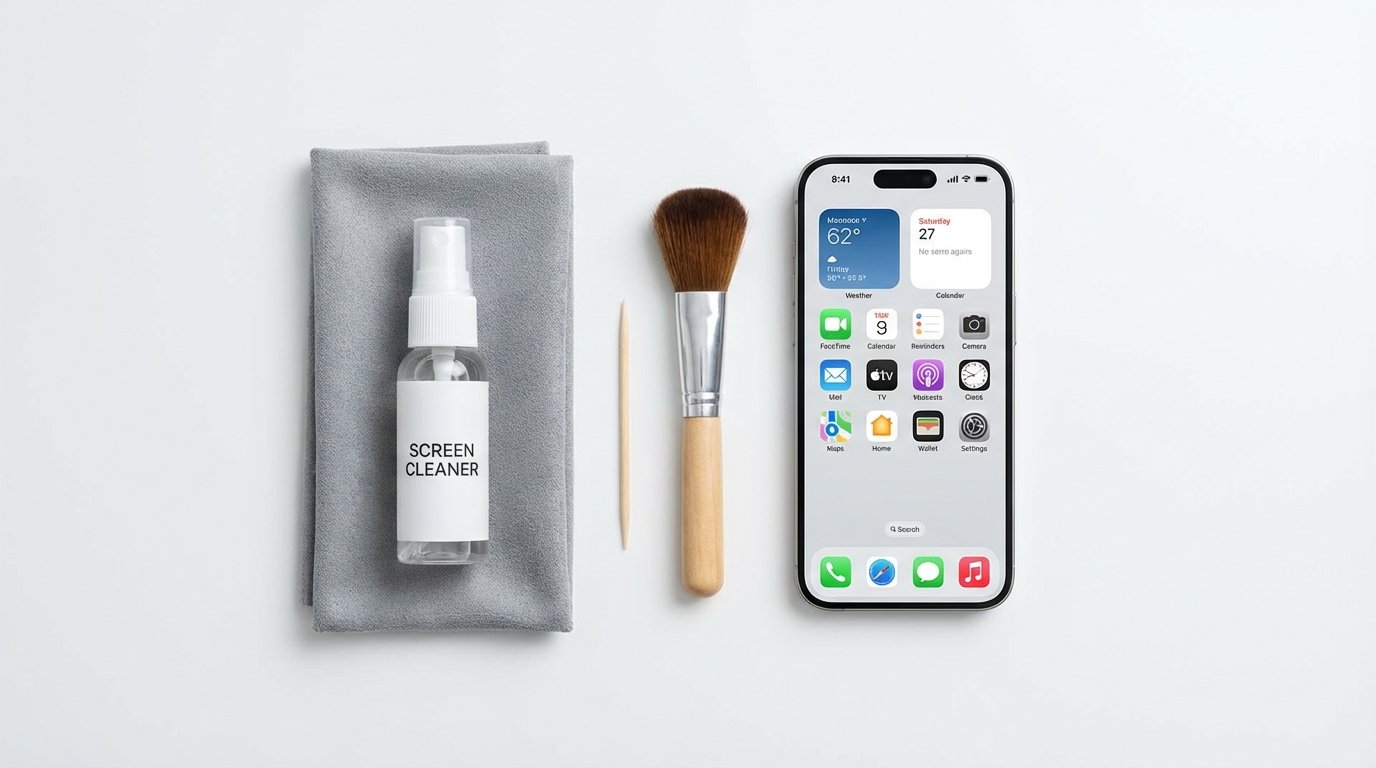
Did you know that your smartphone screen is likely 10 times dirtier than a toilet seat? It sounds gross, but it’s true.
Despite investing a significant amount in cutting-edge devices like MacBooks, Smart Glasses, and Earbuds, we often neglect their proper maintenance. This lack of care leads to common issues: dust obstructing charging ports, earwax degrading audio quality, and lens smudges compromising photo clarity.
The danger lies in improper cleaning: You can easily destroy your devices. For example, Windex can strip the anti-reflective coating from a screen, and a metal pin can puncture the speaker mesh on your earbuds.
In this ultimate, comprehensive guide, we are going to show you exactly how to clean your tech gadgets safely and effectively. Whether you’re a professional photographer, a dedicated gamer, or simply someone who relies on their smartphone and laptop every day, keeping your devices spotless is crucial for both their performance and longevity.
We will meticulously cover everything from the most delicate surfaces, like sensitive camera lenses and high-resolution display screens, to the hardiest, most-used parts, such as grimy keyboards, dusty cooling vents, and sticky mouse surfaces. Our step-by-step instructions will ensure you know the right tools, the correct cleaning agents (and what to avoid!), and the best techniques for every piece of technology you own. By the end of this guide, your devices won’t just look new—they will also perform optimally, free from the dust and debris that can impede their function.
🛑 The 3 Golden Rules of Tech Hygiene
Before you grab a rag, memorize these three rules. They will save you from an expensive repair bill.
- Never Spray Directly: Never spray water or cleaning solution directly onto a device. It can seep into the bezels or keyboard switches and cause a short circuit. Always spray the cloth first.
- Ditch the Paper Towels: Paper towels and tissues are made of wood pulp. They are abrasive and will leave microscopic scratches on your delicate screens. Only use Microfiber Cloths.
- Turn It Off: Always power down your device before cleaning. It prevents accidental touches and makes it easier to see smudges against a black screen.
1. How to Clean Laptop & Monitor Screens (The “Zero-Streak” Method)
Whether you have the stunning display of the [MacBook Air M4] or a gaming monitor, the cleaning process is the same. You want to remove fingerprints without damaging the delicate coating.
What you need:
- A clean Microfiber Cloth.
- Distilled water (or a specialized screen cleaner).
- Avoid: Alcohol-based cleaners on older screens (though Apple says 70% Isopropyl wipes are okay for modern Macs, water is safest).
The Steps:
- Power Down: Turn off the laptop so the screen is black. This highlights the dust and oil.
- Dry Wipe First: Gently wipe the screen with a dry microfiber cloth to remove loose dust. If you press down on dust, it acts like sandpaper.
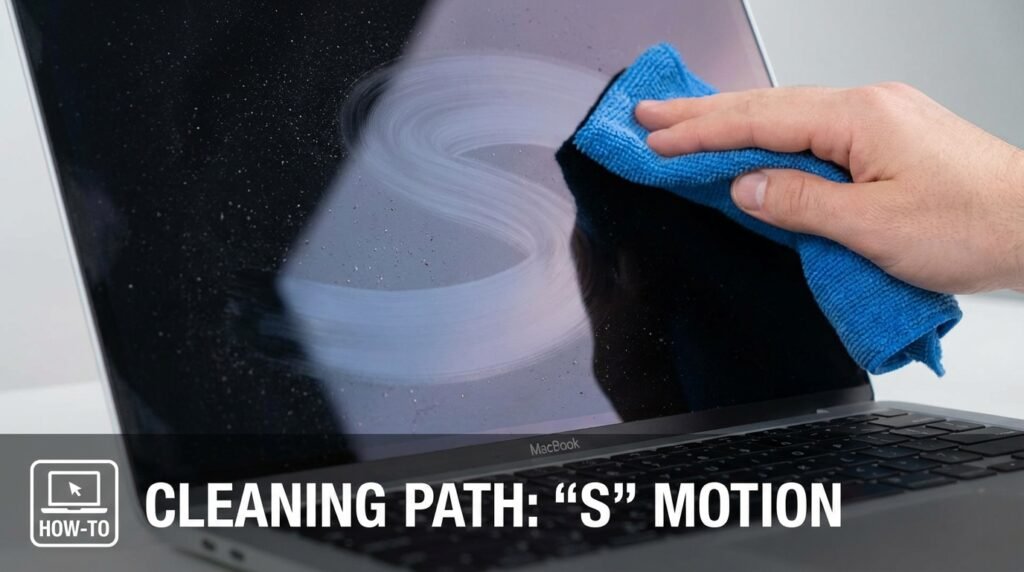
- The Damp Wipe: Lightly mist your cloth with water (damp, not dripping). Wipe the screen in broad “S” motions, not circles.
- Dry Edges: Use a dry corner of the cloth to wipe the edges immediately to prevent moisture from entering the bezel.
Pro Tip: Avoid the use of window cleaning products (such as Windex), as they contain ammonia, which can degrade the anti-glare coating over time.
2. How to Clean Earbuds & Headphones (The “Audio Rescue”)
If your [Apple AirPods 4] or [Soundcore Q20i] is sounding quiet or muffled, it’s probably not a defect. Earwax is likely blocking the mesh.
What you need:
- A soft-bristled toothbrush (dry).
- Cotton swabs (Q-tips).
- Blu-Tack (Adhesive Putty) – The secret weapon.
- 70% Isopropyl Alcohol.
The Steps:
- The Gravity Trick: Hold the earbud with the speaker mesh facing down. Gently brush the mesh with the toothbrush. This allows gravity to pull the debris out rather than pushing it deeper in.
- The Blu-Tack Hack: Warm up a small piece of adhesive putty in your hands, press it gently onto the speaker mesh, and pull it off quickly. It lifts wax and dirt out of the tiny holes like magic.
- Sanitize: Dip a cotton swab in a little alcohol and wipe the exterior plastic and the silicone tips. Do not get alcohol on the speaker mesh itself, as it can dissolve the glue holding the mesh in place.
Using helmet audio like the [Wildhorn Alta]? Remove the speakers from the helmet pads before cleaning the foam covers with warm, soapy water.
3. How to Clean Camera Lenses & Smart Glasses
The lenses are the most delicate component of any device. Even one scratch on your Ray-Ban Meta Smart Glasses can spoil every photo you capture.
What you need:
- A Rocket Blower (or compressed air canister).
- A Lens Pen or Microfiber cloth.
The Steps:
- Blow First: This is critical. Use the air blower to blast away dust particles. If you wipe a lens that has sand on it, you will scratch the glass.
- Circular Wipe: Once the dust is gone, use your microfiber cloth. Start from the center of the lens and gently spiral outwards.
- The Sensor: For the small sensors on smart glasses, use a Q-tip to gently dab away oil from your skin.
4. How to Clean Keyboards & Ports (The “Dust Busters”)
Your keyboard is a crumb magnet, and your phone’s charging port is a lint trap.
The Keyboard:
- The Shake: Turn your keyboard or laptop upside down and give it a gentle tap. You’ll be surprised how much falls out.
- Compressed Air: Spray short bursts of air between the keys to dislodge stuck debris.
- Disinfect: Wipe the keycaps (tops only) with a disinfectant wipe to kill bacteria.
The Charging Port (Phone won’t charge?): If your cable feels loose, it’s lint.
- The Tool: Use a wooden toothpick or a plastic dental pick. Never use a metal pin (it can short out the connectors).
- The Method: Gently scrape the bottom of the pot. You will likely pull out a ball of pocket lint.
5. The Ultimate Cleaning Kit Checklist
You don’t need expensive “Tech Cleaning Kits.” You just need these essentials in your drawer:
- Microfiber Cloths: Buy a pack of 10. Wash them regularly (without fabric softener).
- Rocket Blower: Essential for cameras and keyboards.
- 70% Isopropyl Alcohol: The gold standard for sanitizing surfaces.
- Soft Toothbrush: Dedicated solely to electronics.
Conclusion: Clean Tech Lasts Longer
Taking 10 minutes once a month to clean your gadgets doesn’t just make them look better; it extends their lifespan. A clean charging port prevents battery issues, clear speakers sound better, and a spotless screen reduces eye strain.
Treat your tech with respect, and it will serve you for years to come.
Ready to upgrade your gear? Now that you know how to maintain them, check out our reviews on the latest tech worth buying:
- [Apple AirPods 4 Review]
- [Ring Spotlight Cam Pro Review]
- [Ray-Ban Meta Smart Glasses Review]
Frequently Asked Questions (FAQs)
Q: Can I use hand sanitizer to clean my phone screen?
A: It is not recommended. Hand sanitizers often contain moisturizers and gels that leave a greasy residue on screens. Use 70% Isopropyl alcohol wipes instead.
Q: How often should I clean my earbuds?
A: Ideally, you should give them a quick wipe after every workout and a deep clean (brushing the mesh) once a week to prevent wax buildup.
Q: My laptop screen has a permanent smudge. What do I do?
A: If water fails, switch to a specialized “Screen Cleaning Solution” (such as Whoosh!). Apply the cleaner to the cloth, allow it to soak into the smudge for a few moments, and then wipe the area gently.