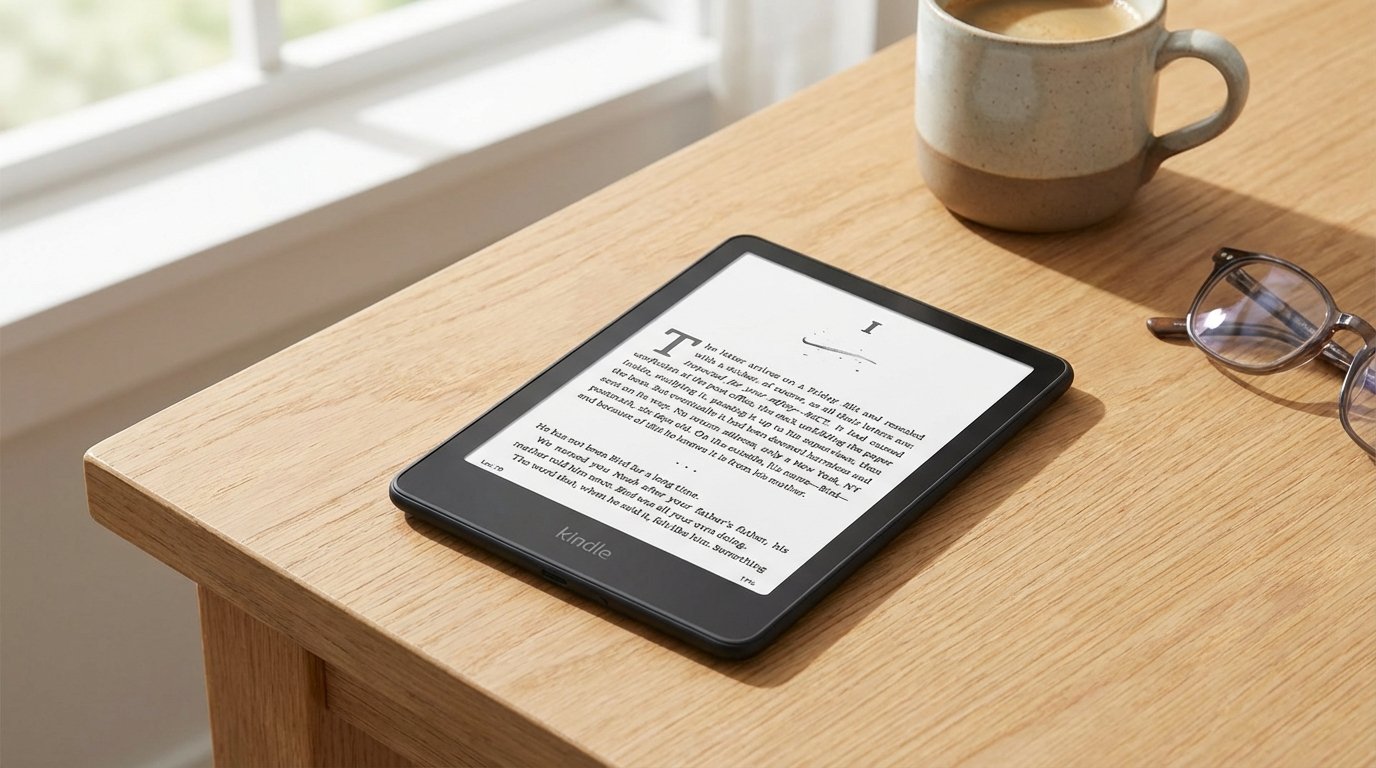
Love reading, but struggling with eye strain from your smartphone, or tired of carrying bulky hardcovers? Does reading on your tablet become difficult under the bright sun at the beach?
We have all been there. You try to get lost in a story, but a low battery warning or a distracting WhatsApp notification ruins the moment. Old e-readers were a solution, but let’s be honest—they were often slow, laggy, and the screens felt cramped.
Enter the all-new Kindle Paperwhite 16GB.
Amazon’s newest model addresses previous concerns, boasting a larger, high-definition 7-inch display, remarkable battery life that lasts for months, and a 20% increase in performance. However, the higher price raises a significant question: Does this device truly offer the ultimate reading experience?
In this detailed review, we will test the limits of the Kindle Paperwhite 16GB to see if it really delivers on its promises, or if you are better off sticking to physical books.
1. Quick Specifications Overview
Before we get into the experience, let’s look at the specs that power this device.
| Feature | Specification |
| Model | Kindle Paperwhite (12th Generation / Newest Model) |
| Display | 7-inch Paperwhite display technology |
| Resolution | 300 ppi (Laser-quality text) |
| Storage | 16 GB (Holds thousands of books) |
| Front Light | 17 LEDs with Adjustable Warm Light |
| Speed | 20% Faster Page Turns than previous gen |
| Waterproof | IPX8 (2 meters of fresh water for 60 mins) |
| Battery | Up to 12 Weeks (based on 30 mins reading/day) |
| Connectivity | Dual-band Wi-Fi (2.4 GHz & 5.0 GHz) + Bluetooth |
| Charging | USB-C (Cable included) |
| Dimensions | 124.6 x 174.2 x 8.1 mm |
| Weight | 205g (7.23 oz) |
2. Design and Display: The 7-Inch Upgrade
The most immediately noticeable change in the new Kindle Paperwhite 16GB is the screen size.
From 6.8″ to 7.”
Previous models hovered around 6 inches or 6.8 inches. This new model pushes it to a full 7 inches. While 0.2 inches sounds negligible on paper, in hand, it feels expansive.
- More Text: You can fit more text on the screen without making the font tiny. This means fewer page turns and a more immersive reading experience.
- Flush-Front Design: Unlike the basic Kindle, which has a recessed screen that traps dust and dog hair, the Paperwhite has a sleek, flush-front glass design. It feels like a premium tablet, yet retains the paper-like texture.
The Glare-Free Magic
The display features the cutting-edge E-Ink Carta 1200 technology, offering an experience identical to reading a printed page. Its zero-glare screen ensures perfect readability, even in direct, intense sunlight, such as at a beach. Furthermore, significant contrast enhancements make the text truly stand out: blacks are deeper, and the background is brighter than ever before.
Build Quality
Finished in matte black plastic, the device is easy to grip, even one-handed. However, this finish readily attracts fingerprints. At 205g, it’s marginally heavier than the entry-level model, but it remains light enough to be held comfortably for extended periods without causing wrist fatigue.
3. Performance: Is it Really 20% Faster?
We tested Amazon’s claim of “20% faster page turns” for the Amazon Kindle Paperwhite 16GB by comparing it directly with the previous 11th-generation model.
The Speed Test
- Cold Boot: Waking the device from sleep is instantaneous.
- Page Turns: This is where you feel it. On older Kindles, there was always a split-second “flash” (refresh) when turning a page. On this new model, it is almost imperceptible. The text simply transforms.
- Navigation: Navigating the Kindle Store or your Library is significantly smoother. The lag that used to plague the keyboard when typing Wi-Fi passwords or searching for book titles is largely gone.
While it doesn’t match the speed of an iPad (it’s still E-Ink), this e-reader is remarkably snappy. The upgraded processor ensures a fluid experience that won’t interrupt your reading.
4. Storage: Why “Kindle Paperwhite 16GB” Matters
For years, the standard Kindle came with 4GB or 8GB of storage. This new model standardizes 16GB.
Do You Need 16GB for Books?
A typical eBook is about 2MB to 5MB.
- Math: 16GB can hold roughly 6,000 to 10,000 eBooks.
- Reality: Unless you plan to download the entire Library of Congress, you will never fill this device with just textbooks.
The Audiobook Factor (Audible)
This is where the Kindle Paperwhite 16GB storage becomes essential.
If you listen to Audible audiobooks, files are much larger (150MB – 500MB per book).
- With 8GB: You could hold about 15-20 audiobooks.
- With 16GB: You can store 50+ high-quality audiobooks comfortably alongside your entire eBook library.
Since the device has Bluetooth, you can pair your headphones (like the Soundcore P30i) and listen directly from the Kindle.
5. The Reading Experience: Warm Light and Dark Mode
The core purpose of a Kindle is reading, and the features here are designed to protect your eyes.
Adjustable Warm Light
This was previously a “Signature Edition” exclusive, but now it is standard on the Kindle Paperwhite 16GB.
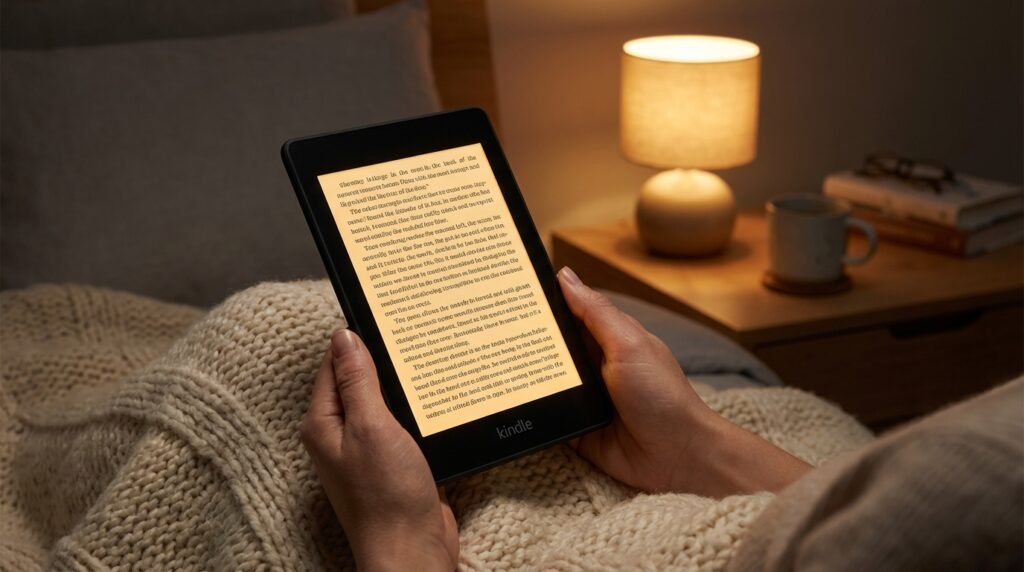
- How it works: You can shift the screen color from a stark, cool white to a warm, amber candlelight.
- Why it matters: Blue light suppresses melatonin, making it hard to sleep. By scheduling the Warm Light to turn on automatically at sunset, your Kindle mimics the look of old book paper, which is much easier on the eyes in a dark room.
Dark Mode
For a more comfortable viewing experience, especially in low light, Dark Mode is easily accessible via the quick settings. This feature, which displays white text on a black background, is ideal for reading at night, as it significantly reduces the emitted light, minimizing disruption to others, such as a partner.
🔗 Enhance Your Reading Nook:
- Listen to your books wirelessly. Check out our review of the Soundcore P30i Earbuds.
6. Battery Life: Weeks, Not Hours
The battery life on the Kindle Paperwhite 16GB is legendary. Amazon claims up to 12 weeks on a single charge.
Real-World Testing
In our testing, the claim holds up—with caveats.
- Scenario A: If you read 30 minutes a day, Wi-Fi off, and the light set to 10, it will last about 2-3 months.
- Scenario B: If you leave Wi-Fi on, download books frequently, and keep the brightness maxed out, expect about 4-5 weeks.
That is still phenomenal. You can go on a month-long vacation without even packing the charger.
USB-C Charging
The device has upgraded from the outdated micro-USB to the USB-C standard. This convenient change means your Kindle can now be charged with the same cable as your Android phone, iPad, or laptop. Using a 9W adapter, a full charge takes approximately 2.5 hours.
7. Durability: IPX8 Waterproof Rating
Unlike a physical book, the Kindle Paperwhite 16GB won’t be ruined by water, which is a major benefit.
The Bathtub Test
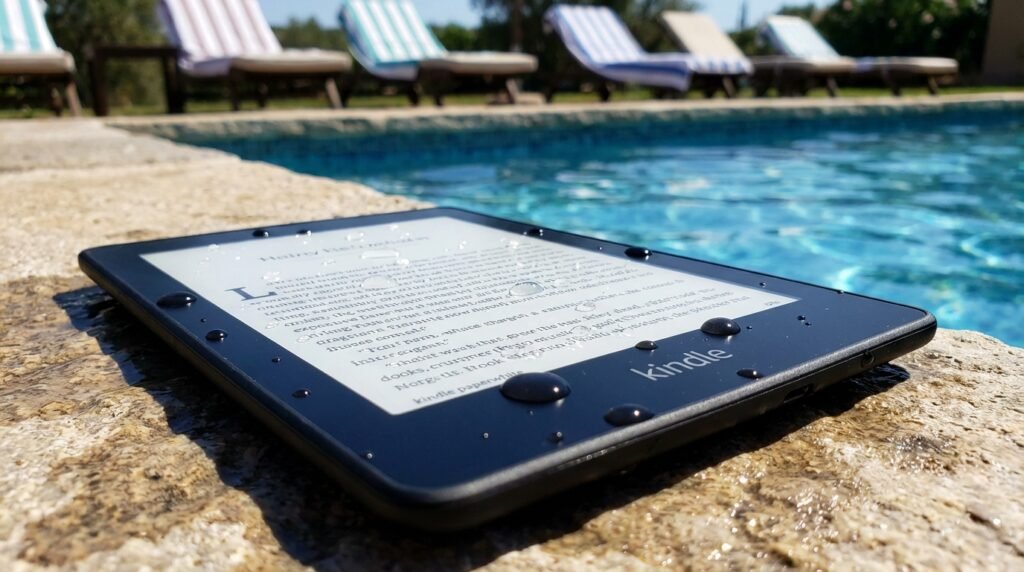
The device is rated IPX8. This means it can withstand immersion in 2 meters of fresh water for up to 60 minutes.
The device was submerged in a sink of water and emerged perfectly unharmed. The screen automatically locked, a feature designed to prevent unintended page turns while wet.
- Use Cases: You can read in the bath, by the poolside, or at the beach without fear. Even if you spill coffee on it, you can simply rinse it off under the tap.
8. Software and Ecosystem
Amazon updated the Kindle interface recently. It is cleaner and more mobile-like.
- Home vs. Library: The distinction is now clear: “Home” displays recommendations and recent reading, and “Library” presents your owned books in a grid view.
- Collection Management: Grouping books into folders, often called Collections, simplifies organization, making it easy to keep genres like “Sci-Fi” and “Biographies” separate.
- Goodreads Integration: The device allows you to rate books and view your friends’ current reads.
Note: The device comes with “Lockscreen Ad-Supported” by default; an extra payment is required to remove these ads. Since the advertisements appear only when the device is asleep and are typically for books, they are not considered very intrusive.
9. Comparison: Which Kindle Should You Buy?
Is the Kindle Paperwhite 16GB the sweet spot? Let’s compare.
| Feature | Kindle (Basic 2024) | Kindle Paperwhite 16GB | Kindle Paperwhite Signature |
| Screen Size | 6 Inch | 7 Inch | 7 Inch |
| Resolution | 300 ppi | 300 ppi | 300 ppi |
| Front Light | 4 LEDs | 17 LEDs (Warm Light) | 17 LEDs (Warm Light + Auto Adjust) |
| Storage | 16 GB | 16 GB | 32 GB |
| Waterproof | ❌ No | ✅ Yes (IPX8) | ✅ Yes (IPX8) |
| Charging | USB-C | USB-C | USB-C + Wireless Charging |
Verdict:
- Buy the Basic: if you are on a strict budget and don’t read near water.
- Buy the Paperwhite 16GB: This model offers the best value if a bigger screen, warm light, and waterproofing are your priorities.
- Buy the Signature: The 16GB Paperwhite is sufficient for most users; you only need the upgraded version if wireless charging or auto-adjusting brightness are essential to you.
10. Pros and Cons
✅ The Good:
- Display: The 7-inch screen is sharp and bright, and the warm light is a game-changer.
- Speed: The 20% speed boost makes navigation fluid.
- Battery: USB-C charging and weeks of life.
- Durability: Waterproof build gives peace of mind.
- Storage: 16GB is future-proof for audiobooks.
❌ The Bad:
- Power Button: Located on the bottom edge; easy to accidentally press while reading.
- Fingerprints: The black plastic back gets oily easily.
- No Speakers: You need Bluetooth headphones to listen to audiobooks.
11. Conclusion: The King of E-Readers
The Kindle Paperwhite 16GB, in conclusion, represents Amazon’s perfected e-reader formula.
Instead of a radical change, they focused on refinement, delivering a device that is smoother, faster, and boasts a larger display. The Amazon Kindle Paperwhite 16GB occupies the optimal space in terms of value, balancing an affordable price with premium features. It offers the high-quality screen and water resistance found in top-tier models, without the extra cost of the Signature Edition.
For anyone using a Kindle model from 2018 or earlier, the upgrade in speed and screen clarity will be significant. It is, without a doubt, the best dedicated reading device currently available in 2026.
Rating: ⭐⭐⭐⭐⭐ (4.6/5)
12. Frequently Asked Questions (FAQs)
Q: Does the Kindle Paperwhite 16GB have ads?
A: Usually, the base model includes “Lockscreen Ads.” These can be removed at a later time via your Amazon account for a minor, one-time payment, or you can opt for the “Without Lockscreen Ads” version at the initial purchase.
Q: Can I read PDF files on it?
A: Yes, PDF files are supported. However, due to the 7-inch screen size, viewing large PDFs containing diagrams may necessitate zooming and panning, which could lead to a slower experience compared to using a tablet.
Q: Does it have color?
A: No. The Kindle Paperwhite 16GB features a black-and-white E-Ink screen. For reading comics or other content where color is necessary, a Fire Tablet is a better option, or you could wait for Amazon’s upcoming Colorsoft technology.
Q: How many audiobooks can 16GB hold?
A: A 16GB capacity is sufficient to store around 35 to 60 complete audiobooks, with the exact number depending on the individual book’s length and audio quality.
Q: Does it come with a charger?
A: A USB-C charging cable is included, but the power adapter (brick) is not. Any standard phone charger or computer USB port can be used for charging.